Free Wi-Fi in Suvarnabhumi Airport (BKK): How to Use 2025
Suvarnabhumi Airport (BKK) provides free Wi-Fi for travellers to stay connected. While the service is generally convenient, here are the details to ensure smooth access and use.
Let’s start with overview!
Free Wi-Fi Details
- Duration: Free Wi-Fi is available for up to 2 hours per day. However, sessions are capped at 15 minutes each, requiring you to log back in after the time limit.
- Speed: Expect a speed of around 1 Mbps, enough for browsing, emails, and messaging. High-data activities, like streaming or large downloads, may not perform well.
How to Connect
- Choose a Network: Select from the available networks:
AOTFreeWiFibyTrueAirportAISFreeWiFiAirportDTACFreeWiFiAirport Free WiFi by NT.
- Registration:
- Once connected, your browser will redirect to a login page.
- Enter your name, passport number, and email address.
- Accept the terms and conditions to start browsing.
- Internet Kiosks: No device? No problem. There are 126 internet kiosks in the airport offering free short-term access.
Things to Know
- Login Process: The system may require additional steps, such as entering specific details or reconnecting frequently.
- Signal Coverage: Wi-Fi works well in main terminal areas but may weaken in some spots.
- Speed Consistency: While it supports light browsing, occasional disconnections or slow speeds can occur.
Alternatives to Free Wi-Fi
If you need faster speeds or extended access, here are options to consider:
- Local SIM Cards:
- Purchase a tourist SIM card from AIS, DTAC, or TrueMove H at kiosks near baggage claim. These provide reliable 4G/5G speeds for your entire trip.
- What You Need: Present your passport to register.
- eSIMs:
- If your phone supports eSIMs, activate a plan before arriving in Thailand. Providers like Gigago or local operators offer affordable data and voice plans.
- Advantages: No physical card needed, quick setup.
- Pocket Wi-Fi Rentals:
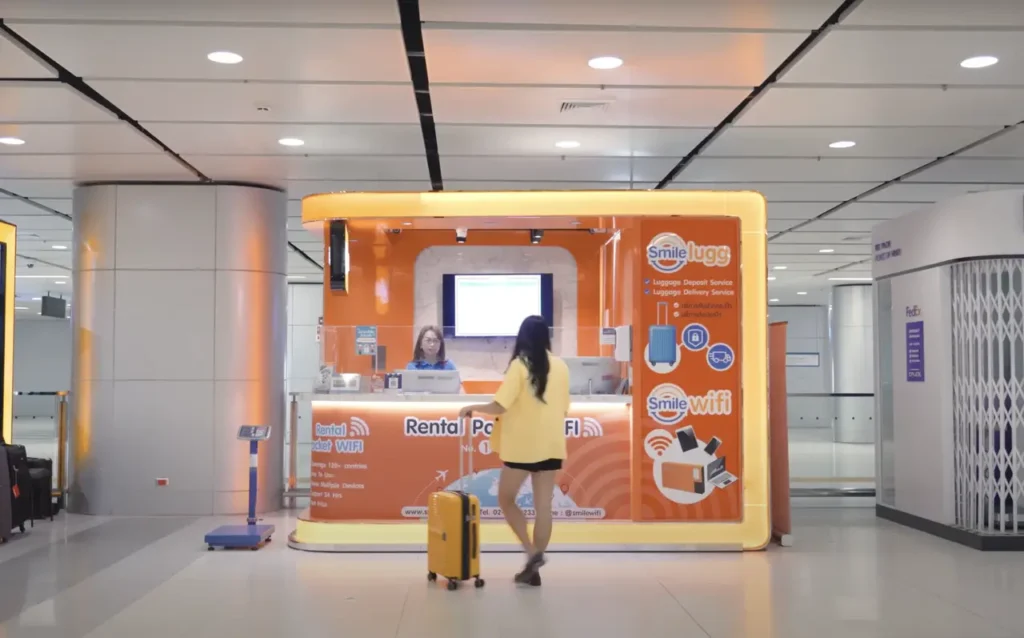
- Ideal for sharing internet with multiple devices. Available at rental counters in the arrivals hall from companies like Samurai WiFi or Tripizee.
- Cost: Typically more expensive but provides privacy and consistent speed.
Tips for Safe Wi-Fi Use
- Only connect to verified networks like
Airport Free Wi-Fi by NT. - Use a VPN to secure your connection, especially for sensitive transactions.
- Keep your device updated and disable file-sharing features.
- Log out of accounts and forget the network after use to prevent automatic reconnections.
Suvarnabhumi Airport’s free Wi-Fi is a convenient way to stay connected for short tasks. For reliable internet during your trip, consider tourist SIM cards or eSIMs. Always prioritize security when using public networks to protect your personal data.